

ROTTERDAM
ROTTERDAM
ROTTERDAM
ROTTERDAM
2023
2023
2023
2023
ACCESSIBLE
ACCESSIBLE
ACCESSIBLE
ACCESSIBLE
CHATBOT
CHATBOT
CHATBOT
CHATBOT
Client
Municipality of Rotterdam
In 2023, municipalities across the Netherlands began introducing a virtual assistant called GEM, designed to help citizens handle civic matters outside office hours without human intervention.
For GEM to truly serve all citizens, accessibility was a key requirement. Municipal websites are legally required to be accessible, including for people with (temporary) disabilities. Our role was to explore how GEM could better support citizens with visual impairments.
Our challenge?
How might we make a municipal AI-chatbot fully accessible for citizens with visual impairments, so they can independently get help?


THE CHALLENGE
THE CHALLENGE
At the start of the project, GEM was able to handle only 14% of incoming questions without human assistance. Municipalities aimed to increase this number while complying with accessibility legislation.
The ideal scenario was a seamless collaboration between human and machine: citizens with visual impairments navigating municipal websites independently and receiving meaningful assistance from GEM. Without friction, confusion, or discomfort.
Given the digital nature of the product, we chose to focus first on people with visual impairments. Our challenge?
How might we make a municipal AI-chatbot fully accessible for citizens with visual impairments, so they can independently get help?
At the start of the project, GEM was able to handle only 14% of incoming questions without human assistance. Municipalities aimed to increase this number while complying with accessibility legislation.
The ideal scenario was a seamless collaboration between human and machine: citizens with visual impairments navigating municipal websites independently and receiving meaningful assistance from GEM. Without friction, confusion, or discomfort.
Given the digital nature of the product, we chose to focus first on people with visual impairments. Our challenge?
How might we make a municipal AI-chatbot fully accessible for citizens with visual impairments, so they can independently get help?
THE USER
THE USER
To better understand our target group, I began with desk research and created an empathy map based on initial assumptions. These assumptions were later validated, or disproven, through in-depth interviews with visually impaired users.
This resulted in a set of key insights:
Screen readers and built-in accessibility features are essential during digital interactions.
Poorly labelled buttons and images are major pain points.
Incorrect colour contrast can cause fatigue or even physical discomfort.
Visual impairment varies widely, affecting layout, size, and contrast requirements.
Text-to-speech and speech-to-text significantly improve usability.
Trust in chatbots is still limited; users want the option to contact a human.
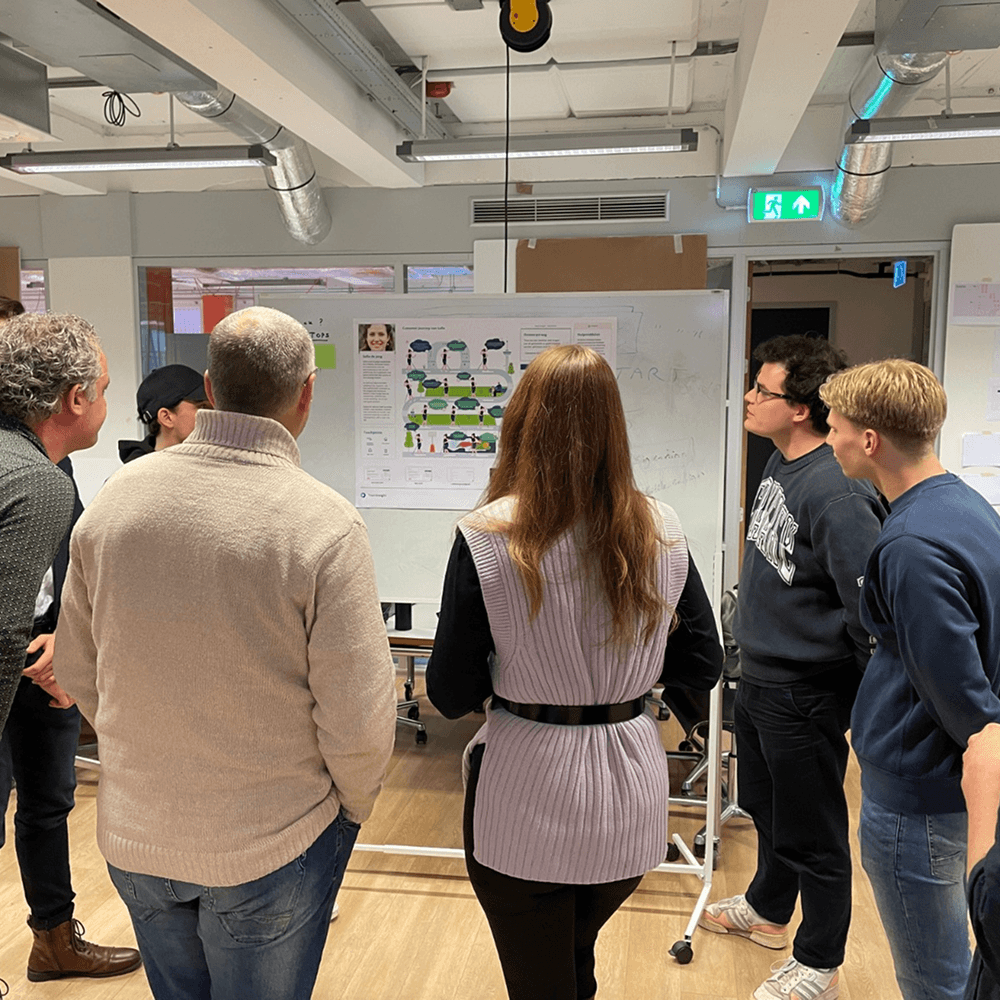
As a team we presented these findings, along with an empathy map, customer journey, and persona, to the client.
To better understand our target group, I began with desk research and created an empathy map based on initial assumptions. These assumptions were later validated, or disproven, through in-depth interviews with visually impaired users.
This resulted in a set of key insights:
Screen readers and built-in accessibility features are essential during digital interactions.
Poorly labelled buttons and images are major pain points.
Incorrect colour contrast can cause fatigue or even physical discomfort.
Visual impairment varies widely, affecting layout, size, and contrast requirements.
Text-to-speech and speech-to-text significantly improve usability.
Trust in chatbots is still limited; users want the option to contact a human.
As a team we presented these findings, along with an empathy map, customer journey, and persona, to the client.
To better understand our target group, I began with desk research and created an empathy map based on initial assumptions. These assumptions were later validated, or disproven, through in-depth interviews with visually impaired users.
This resulted in a set of key insights:
Screen readers and built-in accessibility features are essential during digital interactions.
Poorly labelled buttons and images are major pain points.
Incorrect colour contrast can cause fatigue or even physical discomfort.
Visual impairment varies widely, affecting layout, size, and contrast requirements.
Text-to-speech and speech-to-text significantly improve usability.
Trust in chatbots is still limited; users want the option to contact a human.
As a team we presented these findings, along with an empathy map, customer journey, and persona, to the client.
To better understand our target group, I began with desk research and created an empathy map based on initial assumptions. These assumptions were later validated, or disproven, through in-depth interviews with visually impaired users.
This resulted in a set of key insights:
Screen readers and built-in accessibility features are essential during digital interactions.
Poorly labelled buttons and images are major pain points.
Incorrect colour contrast can cause fatigue or even physical discomfort.
Visual impairment varies widely, affecting layout, size, and contrast requirements.
Text-to-speech and speech-to-text significantly improve usability.
Trust in chatbots is still limited; users want the option to contact a human.
As a team we presented these findings, along with an empathy map, customer journey, and persona, to the client.


FIRST ITERATION
FIRST ITERATION
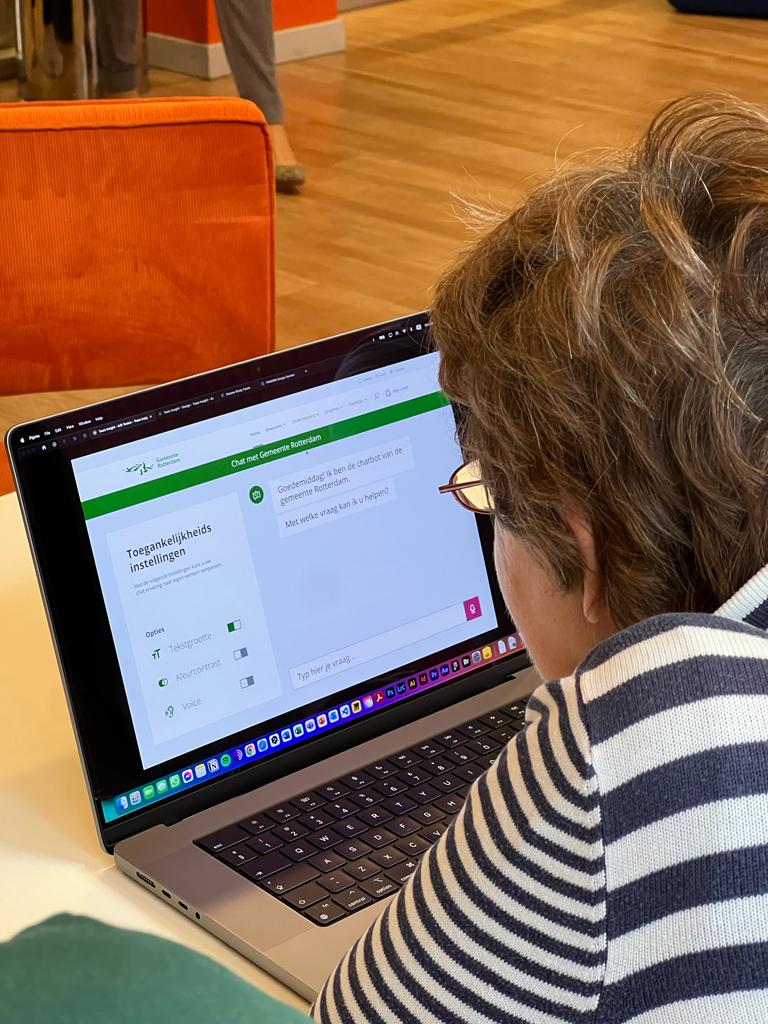
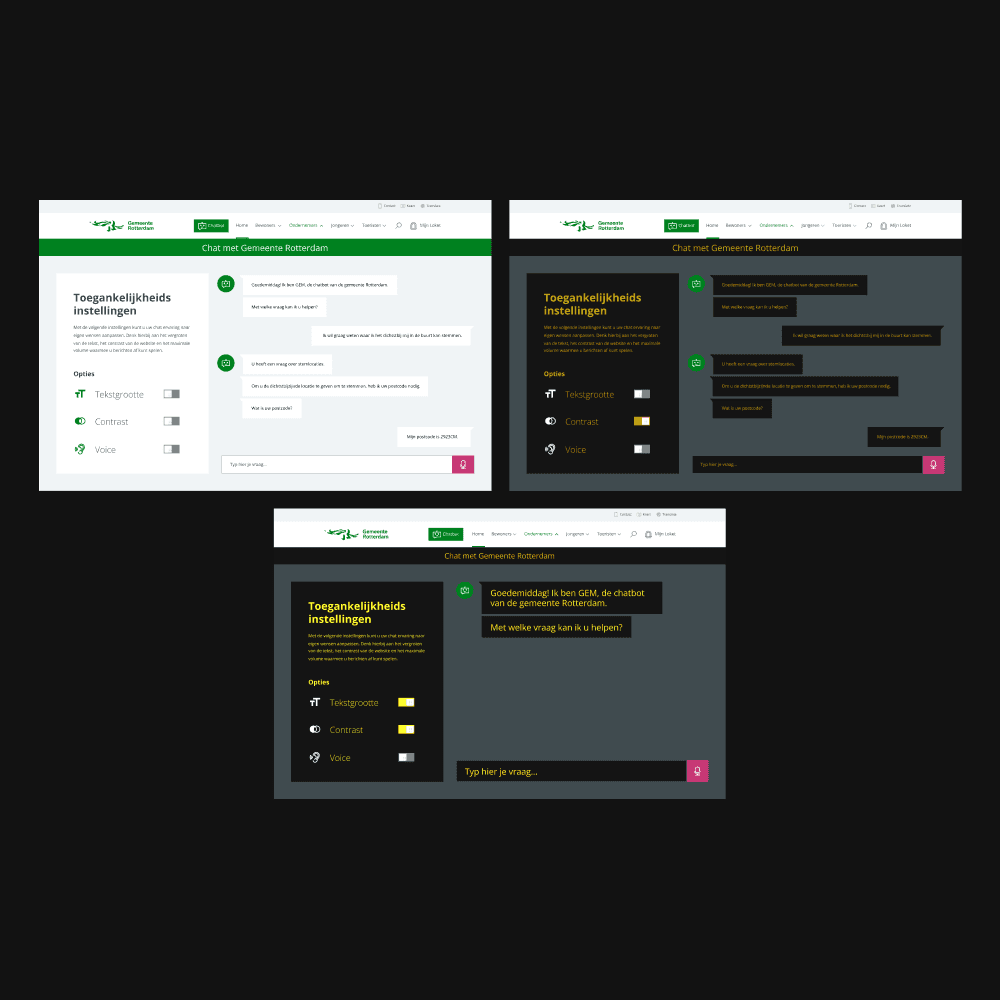
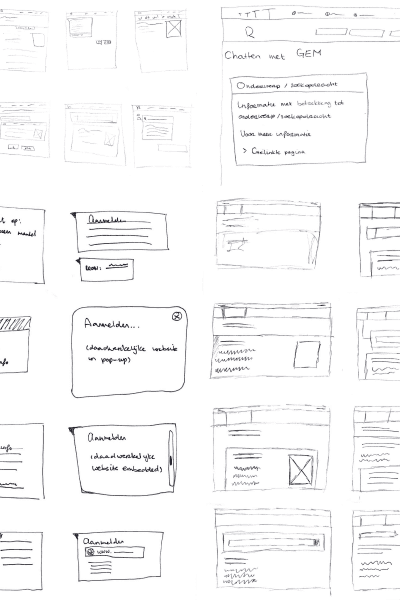
The goal was to design a functional prototype that demonstrated GEM’s core accessibility features: layout, colour contrast, text size, onboarding, and auditory feedback.
I initially chose to surface the most common accessibility settings when opening the chat, assuming users would prefer to adjust settings at the moment of interaction.
To improve discoverability for screen reader users, we added a shortcut to GEM as the first item in the primary navigation.
During user testing, it became clear that this assumption was flawed. It quickly revealed issues:
Without access to a screen reader during the test, users struggled to find the chatbot.
Accessibility problems appeared before users even opened the chat.
Colour contrasts caused discomfort rather than relief.
This led to a key insight: accessibility settings must be available before interaction begins, not as part of it.
The goal was to design a functional prototype that demonstrated GEM’s core accessibility features: layout, colour contrast, text size, onboarding, and auditory feedback.
I initially chose to surface the most common accessibility settings when opening the chat, assuming users would prefer to adjust settings at the moment of interaction.
To improve discoverability for screen reader users, we added a shortcut to GEM as the first item in the primary navigation.
During user testing, it became clear that this assumption was flawed. It quickly revealed issues:
Without access to a screen reader during the test, users struggled to find the chatbot.
Accessibility problems appeared before users even opened the chat.
Colour contrasts caused discomfort rather than relief.
This led to a key insight: accessibility settings must be available before interaction begins, not as part of it.



SECOND ITERATION
SECOND ITERATION
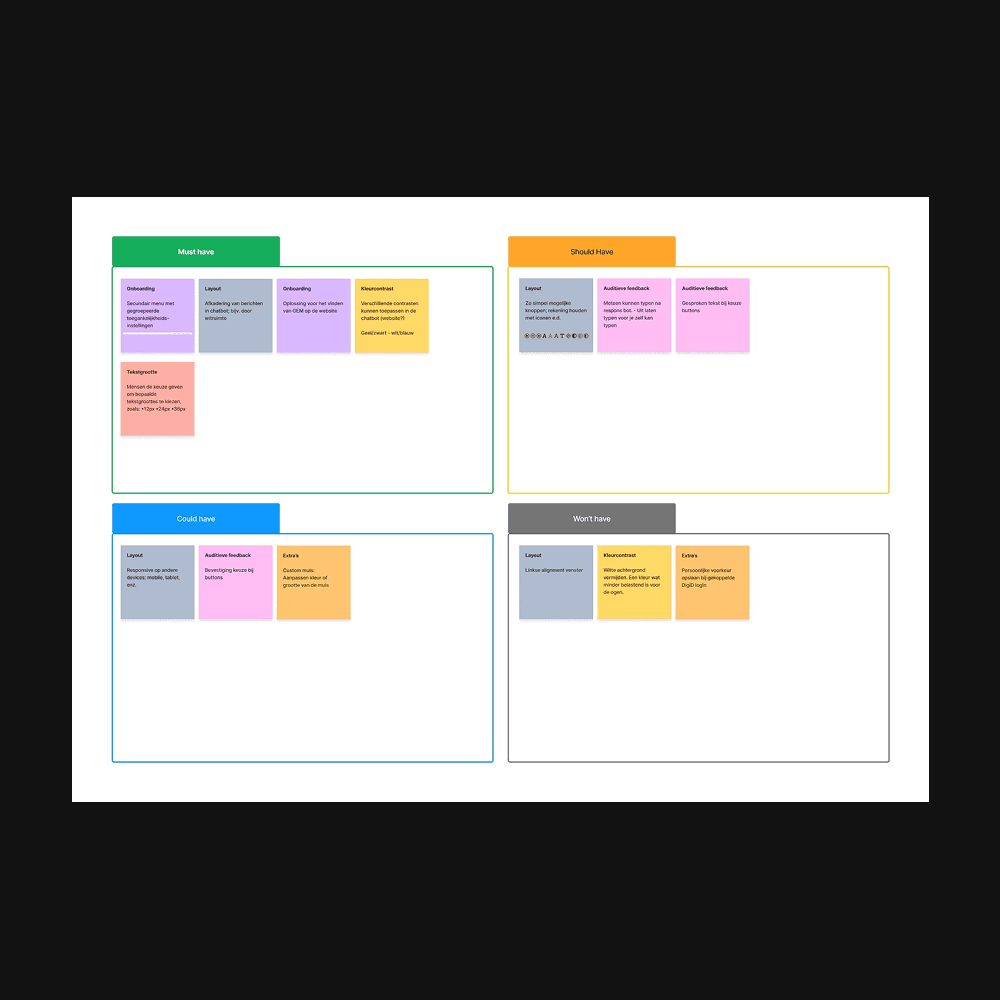
In the second iteration, we restructured how users interact with GEM. For this, we:
Reprioritised requirements using the MoSCoW method
Created a new interaction flow
Revisited our core insights
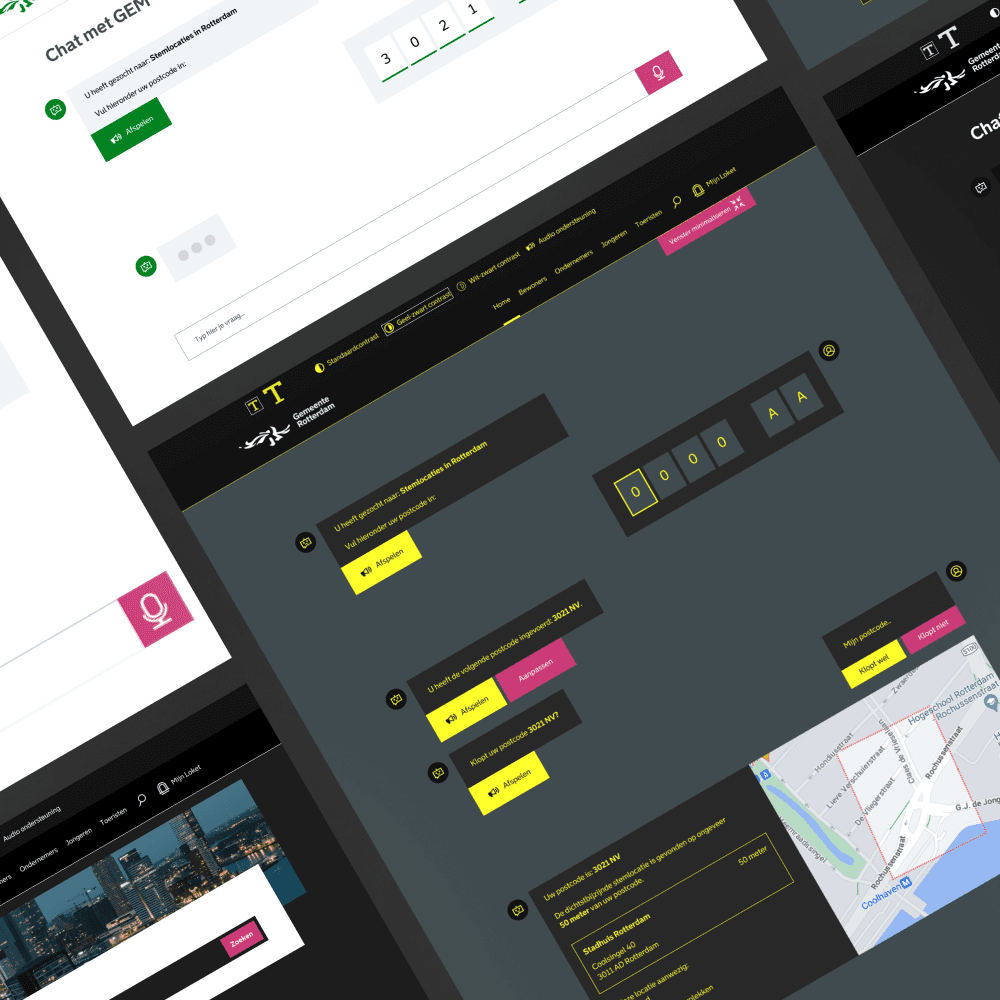
Accessibility settings were moved to the secondary navigation, making them permanently available upon arrival. This allowed users to tailor their experience immediately.
We also integrated GEM into the existing question bar used on municipal websites, enabling proactive responses as users typed. Speech-based interaction was prioritised to reduce cognitive and visual load.
All colour contrasts were revised and aligned with WCAG guidelines.
In the second iteration, we restructured how users interact with GEM. For this, we:
Reprioritised requirements using the MoSCoW method
Created a new interaction flow
Revisited our core insights
Accessibility settings were moved to the secondary navigation, making them permanently available upon arrival. This allowed users to tailor their experience immediately.
We also integrated GEM into the existing question bar used on municipal websites, enabling proactive responses as users typed. Speech-based interaction was prioritised to reduce cognitive and visual load.
All colour contrasts were revised and aligned with WCAG guidelines.



FINAL DESIGN
FINAL DESIGN
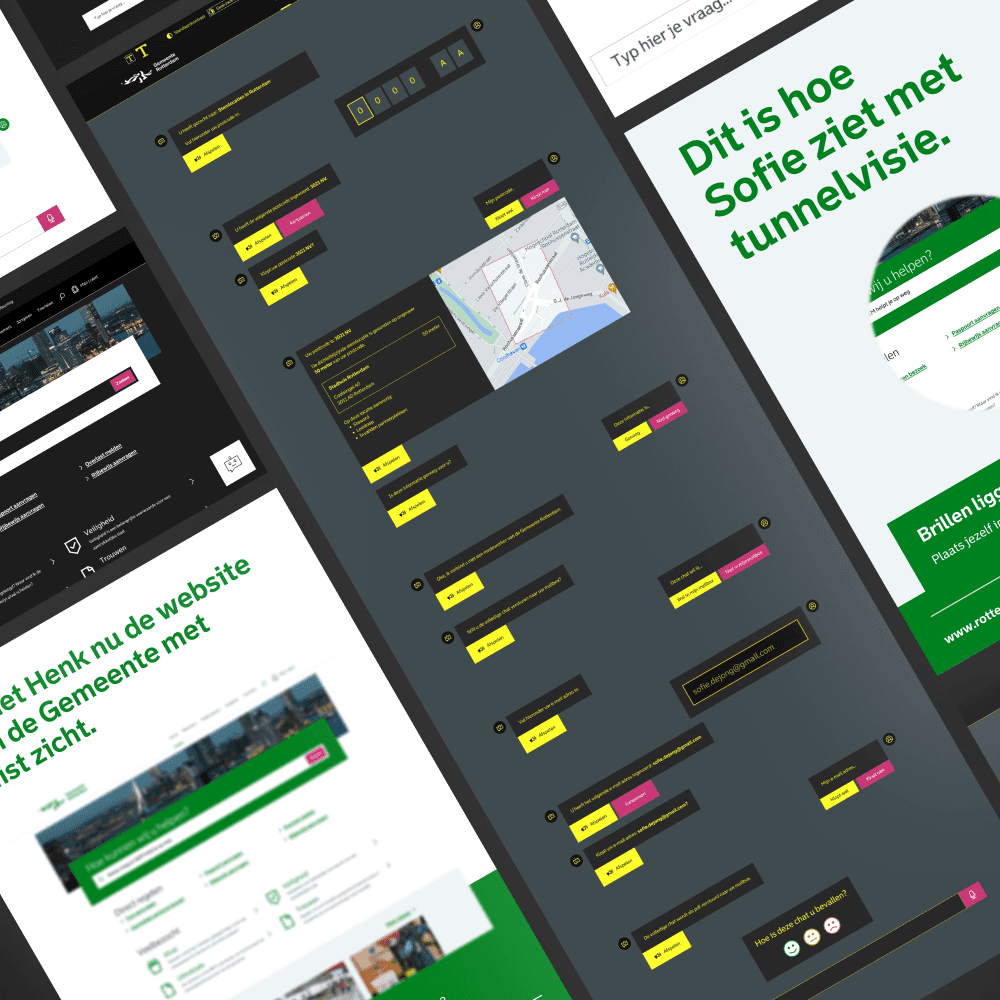
The final design focused on flexibility, clarity, and comfort:
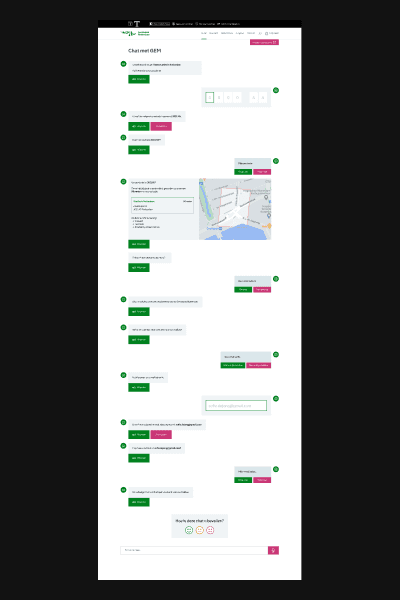
GEM can be accessed via the chat icon or by typing a question directly on the page, supporting different forms of low vision.
Accessibility settings are always available, including text size, colour contrast presets, and auditory feedback.
Chat interactions support replaying messages, voice input, and compatibility with assistive technologies such as braille displays.
The solution was designed to reduce friction while preserving user autonomy and trust.
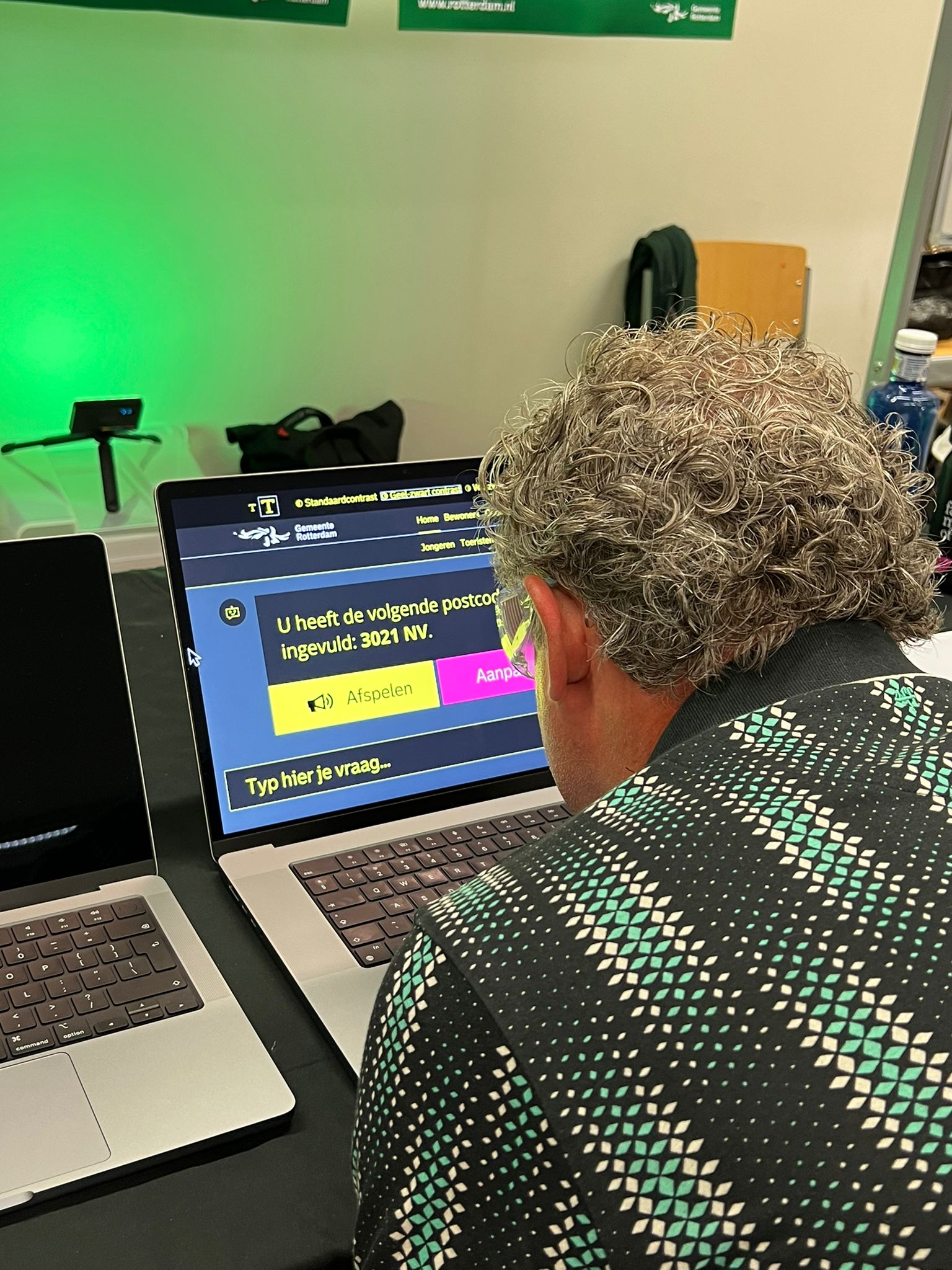
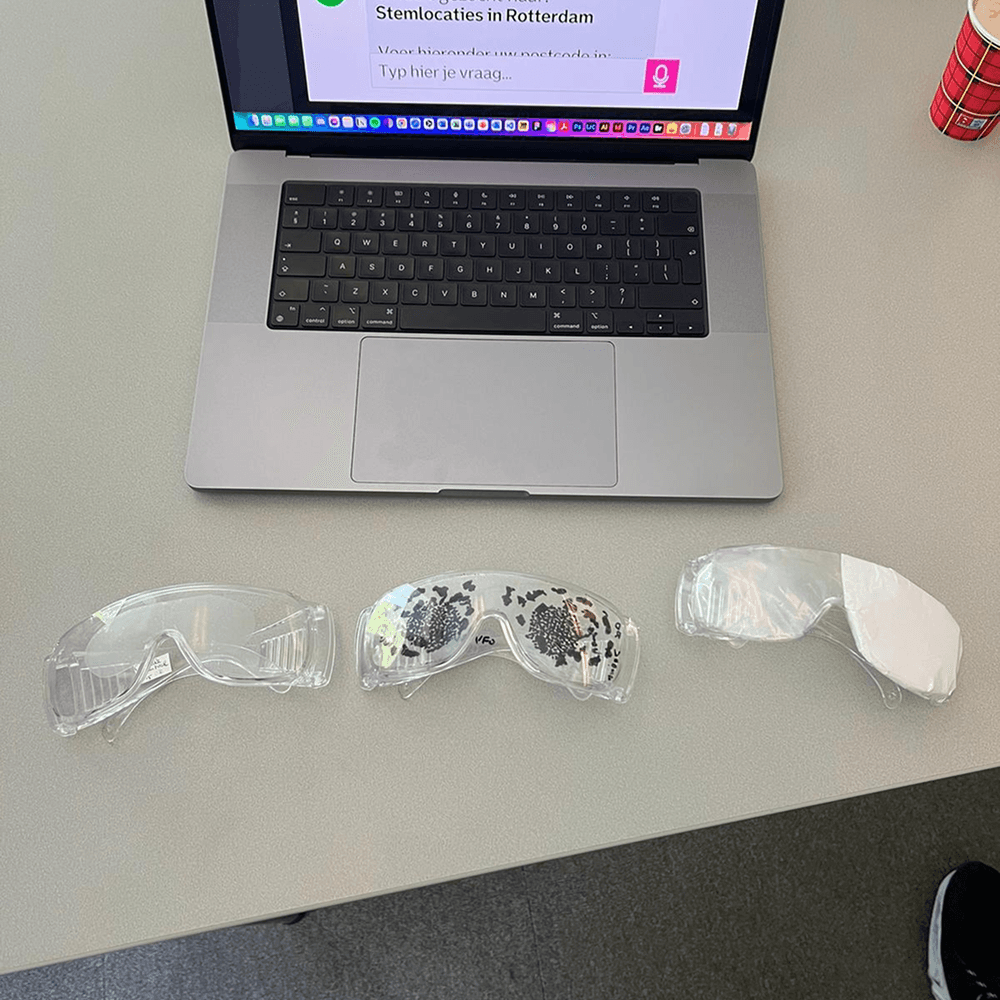
To give users without visual impairments the best possible insight, I chose to design glasses that temporarily ‘impaired’ these users. This created more empathy for people with visual impairments and allowed us to test our final design with more respondents.
The final design focused on flexibility, clarity, and comfort:
GEM can be accessed via the chat icon or by typing a question directly on the page, supporting different forms of low vision.
Accessibility settings are always available, including text size, colour contrast presets, and auditory feedback.
Chat interactions support replaying messages, voice input, and compatibility with assistive technologies such as braille displays.
The solution was designed to reduce friction while preserving user autonomy and trust.
To give users without visual impairments the best possible insight, I chose to design glasses that temporarily ‘impaired’ these users. This created more empathy for people with visual impairments and allowed us to test our final design with more respondents.



PERSONAL GROWTH
PERSONAL GROWTH
During this project, I focused on improving my user research skills and design execution in Figma.
I took a leading role in interviews and usability testing, which increased my confidence in presenting insights and design decisions to stakeholders.
Technically, I explored integrating auditory feedback by generating and linking AI-based audio files to the interface, enabling a more inclusive interaction model.
During this project, I focused on improving my user research skills and design execution in Figma.
I took a leading role in interviews and usability testing, which increased my confidence in presenting insights and design decisions to stakeholders.
Technically, I explored integrating auditory feedback by generating and linking AI-based audio files to the interface, enabling a more inclusive interaction model.
RECOGNITION
RECOGNITION
Although the solution has not yet been implemented, the project challenged many of our initial assumptions. Direct contact with users consistently reshaped our design decisions.
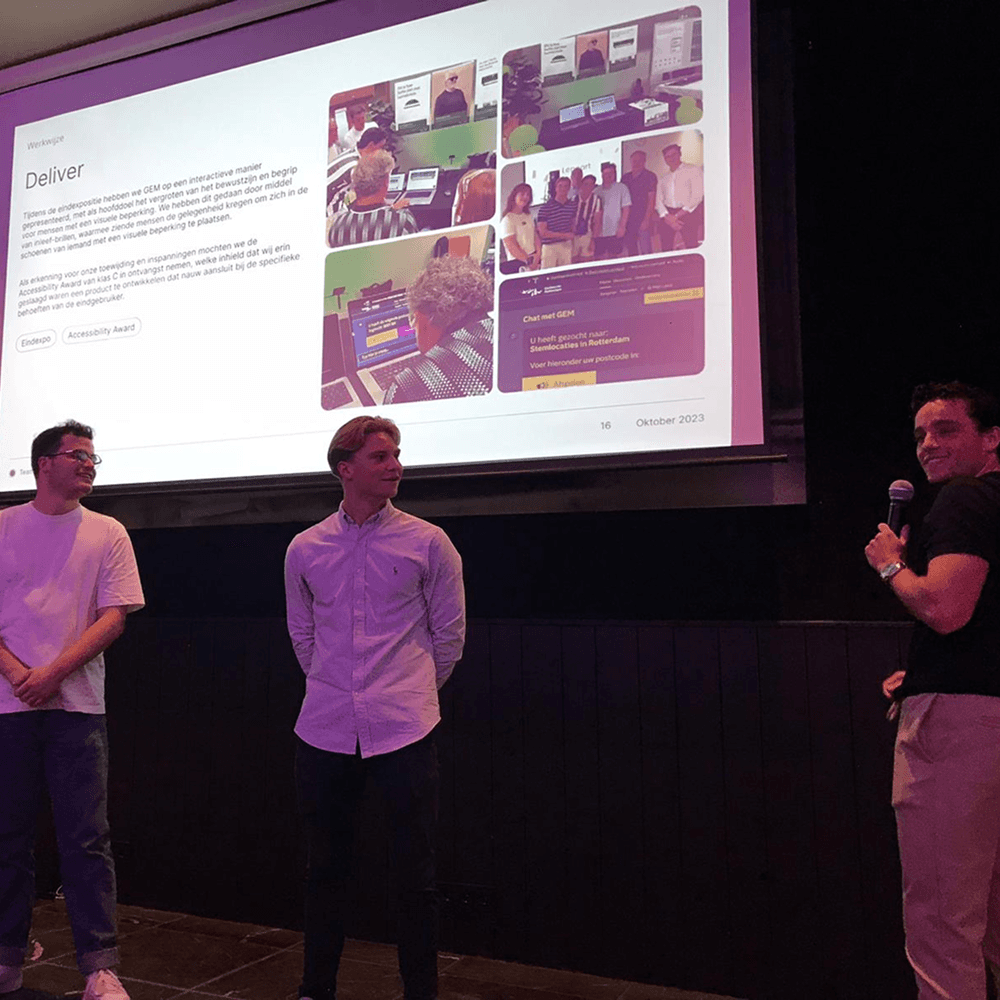
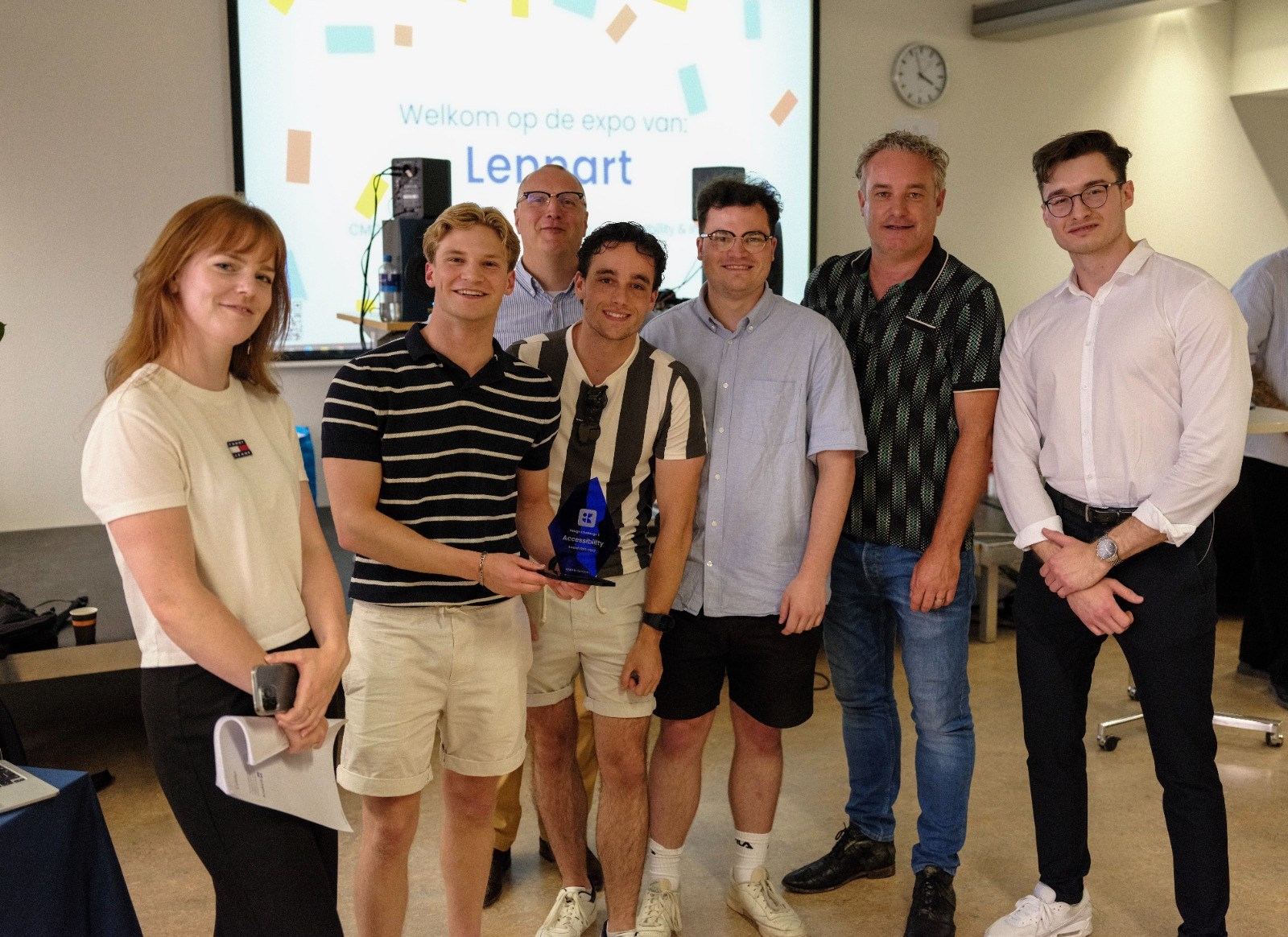
The project concluded with the team receiving the Accessibility Award from the client. We were also invited to present our insights and designs to representatives from 20 municipalities during a recurring GEM stakeholder meeting in Utrecht.
Although the solution has not yet been implemented, the project challenged many of our initial assumptions. Direct contact with users consistently reshaped our design decisions.
The project concluded with the team receiving the Accessibility Award from the client. We were also invited to present our insights and designs to representatives from 20 municipalities during a recurring GEM stakeholder meeting in Utrecht.



Rotterdam, The Netherlands
07:50:38
© Portfolio '26
Made by me

RTM, NL
07:50:38
© '26
By me :)

Rotterdam, NL
07:50:38
© Portfolio '26
Made by me

Rotterdam, NL
07:50:38